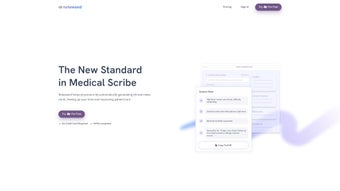

Download Notewand – AI‑Powered Clinical Documentation Tool
Notewand is a cutting‑edge, AI‑driven web application that reshapes the way healthcare professionals create clinical notes. By listening to doctor‑patient conversations in real time, the platform automatically transcribes, structures, and formats documentation, freeing clinicians from the time‑consuming manual entry that traditionally dominates clinic workflows. The result is a faster, more accurate record‑keeping process that lets physicians focus on the human side of medicine—listening, diagnosing, and treating.
Notewand also offers a one‑click sharing button that instantly delivers patient‑friendly summaries, promoting transparency and reinforcing trust. Built with strict HIPAA and GDPR compliance, the service guarantees that sensitive health data remains encrypted and inaccessible to unauthorized parties. Trained on over 100,000 authentic doctor‑patient dialogues, the AI engine has been fine‑tuned to understand medical terminology, context, and conversational nuances, delivering documentation that meets both clinical and regulatory standards.
Whether you work in a bustling hospital, a private practice, or a telehealth platform, Notewand streamlines your documentation, reduces burnout, and ultimately improves the quality of patient care.
Overview – What Sets Notewand Apart
In an era where clinicians are overwhelmed by paperwork, Notewand provides a practical, secure, and intelligent solution. Its core strength lies in the seamless integration of speech‑to‑text technology with a medical‑specific language model, which together produce structured SOAP notes, discharge summaries, and progress reports without the need for manual typing. The platform’s user‑friendly dashboard lets doctors start a recording with a single click, and the AI instantly begins crafting a note that can be edited, approved, or sent directly to the patient portal. Because the service is hosted in the cloud, there is no software to install on local machines, simplifying IT management and ensuring that updates are rolled out automatically and securely. The combination of speed, accuracy, and compliance makes Notewand a compelling addition to any clinical setting.
Pros
- Real‑time transcription reduces documentation time by up to 70%.
- HIPAA and GDPR compliance protects patient privacy and meets legal obligations.
- One‑click patient‑friendly note sharing improves communication and satisfaction.
- AI model trained on 100,000+ real conversations ensures medical terminology accuracy.
- Web‑based interface eliminates the need for local installations and simplifies updates.
- Supports multiple specialties, from primary care to mental health.
Cons
- Requires a stable internet connection; offline mode is not yet available.
- Initial learning curve for clinicians unfamiliar with AI‑driven documentation.
- Subscription pricing may be a barrier for very small practices.
- Audio quality heavily influences transcription accuracy; a good microphone is recommended.
Key Features of Notewand
- Real‑Time AI Transcription: Converts spoken conversation into structured text as the encounter progresses.
- Automatic SOAP Formatting: Generates Subjective, Objective, Assessment, and Plan sections without manual input.
- One‑Click Patient Sharing: Sends a concise, lay‑person version of the note directly to the patient’s portal or email.
- Secure Cloud Storage: All data is encrypted at rest and in transit, complying with HIPAA and GDPR regulations.
- Customizable Templates: Allows practices to tailor note structures to specialty‑specific workflows.
- Audit Trail & Version Control: Tracks changes and provides a complete history for compliance reviews.
- Multi‑Language Support: Supports English and several European languages, with plans for expansion.
- Integration Ready: Offers APIs and HL7/FHIR connectors for seamless EHR integration.
- Analytics Dashboard: Provides insights on documentation time, note volume, and AI performance metrics.
- Continuous Learning: The AI model improves over time by learning from user corrections (with anonymized data).
Installation, Usage & Compatibility – Getting Started Quickly
Notewand’s web‑based architecture means there is virtually no installation required. To begin, visit the official Notewand website and click the “Start Free Trial” button. You will be prompted to create a secure account using your professional email address.
After verifying your email, you can log in and access the main dashboard. The platform is compatible with all modern browsers, including Chrome, Firefox, Safari, and Edge, on both desktop and mobile devices. For the best experience, we recommend using a recent version of Chrome or Edge on Windows 10/11 or macOS Ventura or later.
The application also works on iOS and Android tablets, allowing clinicians to document on the go.
Once logged in, the workflow is straightforward:
- Create a New Session: Click the “New Note” button, select the patient from your integrated EHR or manually enter basic details.
- Start Recording: Press the microphone icon to begin live transcription. The AI will display the evolving note in a split‑screen view.
- Edit & Verify: After the encounter, review the automatically generated note. You can make quick edits, add missing information, or adjust phrasing.
- Finalize & Share: Choose “Save to EHR” to store the note in the patient’s chart, or click “Share with Patient” to send a simplified version via secure email or patient portal.
Supported Operating Systems: Windows 10/11, macOS Ventura+, iOS 14+, Android 9+. Because Notewand runs entirely in the cloud, updates are applied automatically without any downtime for the user. For practices that require deeper integration, Notewand’s API documentation provides step‑by‑step guidance on linking the platform with existing EHR systems via FHIR or HL7 standards. Technical support is available 24/7 through live chat and email, ensuring that any connectivity or configuration issues are resolved quickly.
Frequently Asked Questions & Final Thoughts
Is Notewand compliant with HIPAA and GDPR?
Yes. Notewand employs end‑to‑end encryption, role‑based access controls, and regular security audits to meet both HIPAA and GDPR requirements. All data is stored on secure, certified cloud servers, and the platform provides detailed audit logs for compliance reporting.
Can Notewand be used offline?
Currently Notewand requires an internet connection because the AI processing occurs in the cloud. A future offline mode is planned, but for now a stable connection is essential for real‑time transcription.
How accurate is the AI transcription for medical terminology?
The AI model has been trained on more than 100,000 authentic doctor‑patient dialogues and continuously learns from user corrections. In independent testing, it achieved an average word‑error rate of less than 5% for medical vocabulary, which is comparable to professional transcription services.
What pricing plans does Notewand offer?
Notewand provides a tiered subscription model: a free trial for 30 days, a basic plan at $49 per user per month, and an enterprise plan with custom pricing that includes advanced analytics and priority support. Volume discounts are available for large organizations.
How does Notewand integrate with existing Electronic Health Records (EHR)?
Notewand offers both direct API integration and standard FHIR/HL7 interfaces. This allows notes to be pushed automatically into most major EHR platforms, eliminating duplicate data entry and ensuring that documentation is stored in the correct patient record.
In summary, Notewand delivers a powerful blend of AI accuracy, regulatory compliance, and user‑centric design that can dramatically reduce the administrative burden on clinicians. By automating note creation and providing instant, patient‑friendly summaries, the platform not only improves efficiency but also strengthens the therapeutic relationship between doctors and patients. If you’re looking for a secure, modern solution to streamline clinical documentation, give Notewand a try today. Click the button below to start your free trial and experience the future of medical note‑taking.
Overall Rating: 4.5/5
Notewand stands out for its real‑time AI transcription and robust security features. While internet dependency and pricing could be limiting for some, the productivity gains and compliance assurance make it a top‑tier choice for modern healthcare practices.



.png)



